

Smartphones have become indispensable. They’re our alarm clocks, navigation tools, workstations, cameras, entertainment hubs, and even health companions. Most users know the basics — how to make calls, send messages, take photos, and use apps — but modern mobile phones are packed with clever, often hidden features that many people never explore. These capabilities can improve productivity, enhance safety, and elevate your overall experience.
As you discover how powerful your smartphone can be, don’t forget that quality accessories. Whether you want to protect your screen with a premium screen protector, mount your phone safely in the car, or keep it charged on the go.
Let’s dive into some hidden smartphone features you probably haven’t used yet — and how pairing them with the right accessories can make them even better.
1. Back Tap and Gesture Shortcuts
Most people interact with their phones only through the touchscreen, home button, or on-screen navigation. However, many devices now support gesture shortcuts like back-tap actions. This lets you double-tap or triple-tap the back of your phone to trigger functions like taking a screenshot, opening the camera, or activating voice assistants.
For example, iPhones with iOS offer Back Tap in accessibility settings, and some Android models have similar gesture capabilities. These shortcuts can save time and make device navigation quicker — especially when your other hand is full.
2. Hidden QR Code Scanners
You likely use QR codes occasionally — to pay bills, visit websites, or join Wi-Fi networks — but did you know your camera can scan QR codes without needing a separate app? Simply open your camera app and point it at the QR code. Most modern smartphones will instantly recognise it and offer an action prompt.
This feature becomes even more useful when you have a sturdy phone holder from 9eight5, especially if you’re scanning QR codes while on the move or in transit.
3. One-Handed Mode
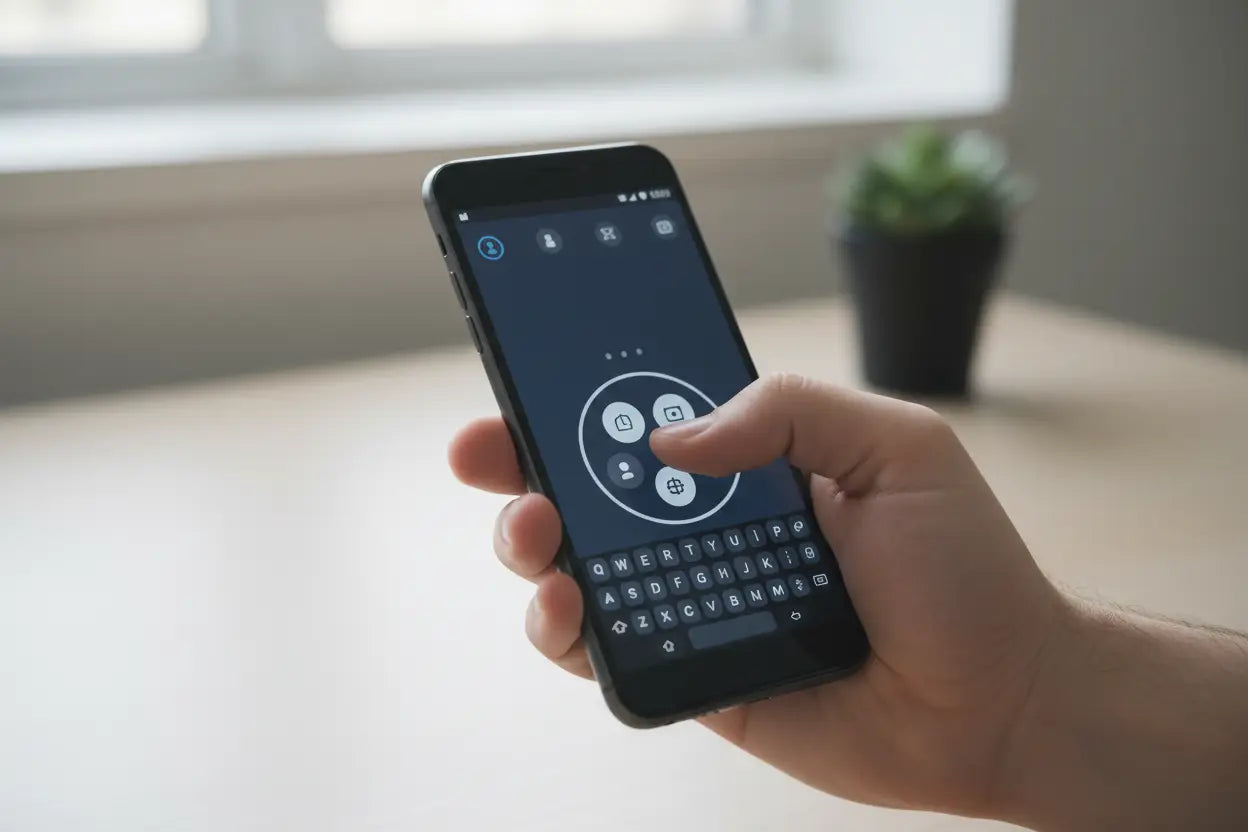 Large phones can be difficult to operate with just one hand — especially if you have small hands or are juggling bags, wallets, or coffee. Many devices include a one-handed mode that shrinks the interface or shifts controls closer to your thumb for easier reach.
On iPhones, this is called “Reachability”; on many Android phones it’s available as a gesture or setting in accessibility options. Enabling one-handed mode makes apps, buttons, and keyboards easier to use — especially when you’re on the move.
4. Hidden File Explorers and System Tools
Did you know your phone has a built-in file manager or system tools panel? Android devices often have a fully functional file explorer hidden deep in settings, while iPhones have the Files app that lets you browse downloads, cloud storage, and connected devices.
These utilities can help you organize documents, free up storage, and manage files without installing third-party apps. To protect important files, apps, and media you frequently use, consider combining this with secure phone storage.
5. Custom Vibration Patterns
Most smartphone users leave vibration settings on default. But did you know you can assign custom vibration patterns to specific contacts? This lets you know who’s calling or texting without looking at your screen. Unique patterns help especially in noisy environments or busy commutes.
Setting custom vibrations can be fun and useful — and it pairs well with thoughtful accessories like a silent mode-friendly protective case or a watch-compatible charging solution.
Read About: Fast Charging 101: What NZ Buyers Need to Know Before Choosing a Cable
6. Hidden Battery Saver Modes and App Timers
Smartphones today come with advanced battery management features that go beyond standard low-power modes. You can set restrictions on background activity, schedule battery saver during certain hours, and even limit apps that drain your power fast.
For frequent travelers or commuters, enabling these options extends battery life and helps you stay connected longer. Pair this with a car charger or power bank — available through accessories partners like 9eight5.co.nz — so you’re always topped up, especially on long journeys.
7. Assistive Touch and Accessibility Shortcuts
Accessibility features aren’t just for people with disabilities — they’re powerful tools for everyone. Assistive Touch creates a floating menu that can replace complex gestures like pinch-to-zoom, switch between apps, take screenshots, and more. Android phones have similar accessibility docks and shortcuts.
These tools streamline interactions and reduce wear on physical buttons over time. Protect your home and volume buttons with a quality case from 9eight5, so these hardware elements remain responsive and protected.
8. Hidden Camera Features and Best Shot Modes
Your smartphone camera probably has features you haven’t used yet — like grid lines, RAW photo capture, exposure lock, night mode, and manual controls. Pro photographers and hobbyists can unlock next-level photography without expensive gear.
But while you explore hidden camera tools, protect that lens with a camera-safe product from 9eight5.co.nz, such as lens protectors or cases with raised camera edges. These guards keep your camera scratch-free while you capture life’s best moments.
9. Screen Recording and Audio Capture
Screen recording used to require third-party tools, but now many phones support built-in screen capture with audio. It’s perfect for recording tutorials, gameplay, or virtual meetings.
A secure grip — like a phone holder or case from 9eight5 — makes screen recording easier and steadier, especially if you’re capturing content on your desktop or demonstrating features.
10. Emergency SOS and Medical ID
Smartphones have life-saving functions too. Features like Emergency SOS allow you to dial local emergency services instantly by pressing certain buttons repeatedly. You can also set up a Medical ID with allergies, blood type, and emergency contact info that’s accessible even when the phone is locked.
These features are easy to overlook but critical in urgent situations. Pair them with protective accessories like screen guards and impact cases from 9eight5 so your device is ready when you need it most.
Know About: Phone Accessories You Should Avoid and What to Buy Instead
Final Thoughts: Your Phone Has More Power Than You Think
Modern smartphones are like Swiss Army knives — packed with hidden tools waiting to be discovered and used. Exploring these hidden features not only improves your experience but also boosts productivity, safety, and convenience.
To get the most out of these capabilities, consider equipping your device with quality phone accessories — from dependable protective phone cases and screen protectors to holders and chargers. Great accessories elevate your smartphone’s performance and ensure these hidden features are always accessible and protected.
Your phone is smarter than you think. With the right knowledge — and the right accessories — you can unlock its full potential.