

In today’s mobile-centered world, waiting around for your phone or tablet to charge feels almost archaic. With the rise of fast-charging technologies, you can get substantial battery top-ups in minutes rather than hours. But here's the catch: even if your device supports fast charging, the cable you use matters just as much. At 9eight5, you’ll find a range of charging cables and accessories — but how do you pick the right one for your New Zealand setup and your device? Let’s unpack what you need to know.
1. Understand Fast Charging: Standards & Compatibility
Fast charging isn’t just “plug in and hope”. Behind the scenes it involves higher power delivery, smarter battery management in your device, and importantly, the right cable + charger. Fast chargers deliver significantly more power (measured in watts) and require matching cables and wall plugs.
In practice:
-
If you have a modern Android phone that supports USB Power Delivery (USB-PD) or Qualcomm Quick Charge, you need a cable that can handle high current and a charger that supports the standard.
-
If you have an iPhone (8 or newer) you can fast charge (≈50% battery in ~30 min) but you’ll need a USB-C to Lightning cable and USB-C Power Delivery charger.
So, when browsing 9eight5, check the product pages under Accessories, Samsung & Apple categories and make sure they list compatibility (USB-C, Lightning, fast-charge capable), rather than assume "any cable will do”.
2. Cable Specs: What to Look For
Your cable is more than a cord — its quality, gauge (thickness), certification and compatibility determine whether you’ll get full fast-charging speed or end up throttled to a slower trickle.
Here are key specs to check:
-
Connector type: USB-C to USB-C, USB-C to Lightning, USB-A to USB-C, etc. Make sure it matches your device and charger.
-
Amperage / wattage capacity: A fast-charging cable should carry higher current – standard cables might be limited.
-
Length and material build: Longer cables increase resistance, which can impact speed; materials matter for durability and heat control.
-
Certification/branding: For Apple devices especially, an MFi certified cable ensures compatibility. For Android, check if it supports USB-PD or Quick Charge.
-
Product listings at 9eight5: If you go to the cable section at 9eight5, look for labels such as “fast charging”, “30 W+”, “USB-C Power Delivery”, “USB-C to Lightning”, etc. This will help you match the right spec.
3. Match Cable with Charger & Device
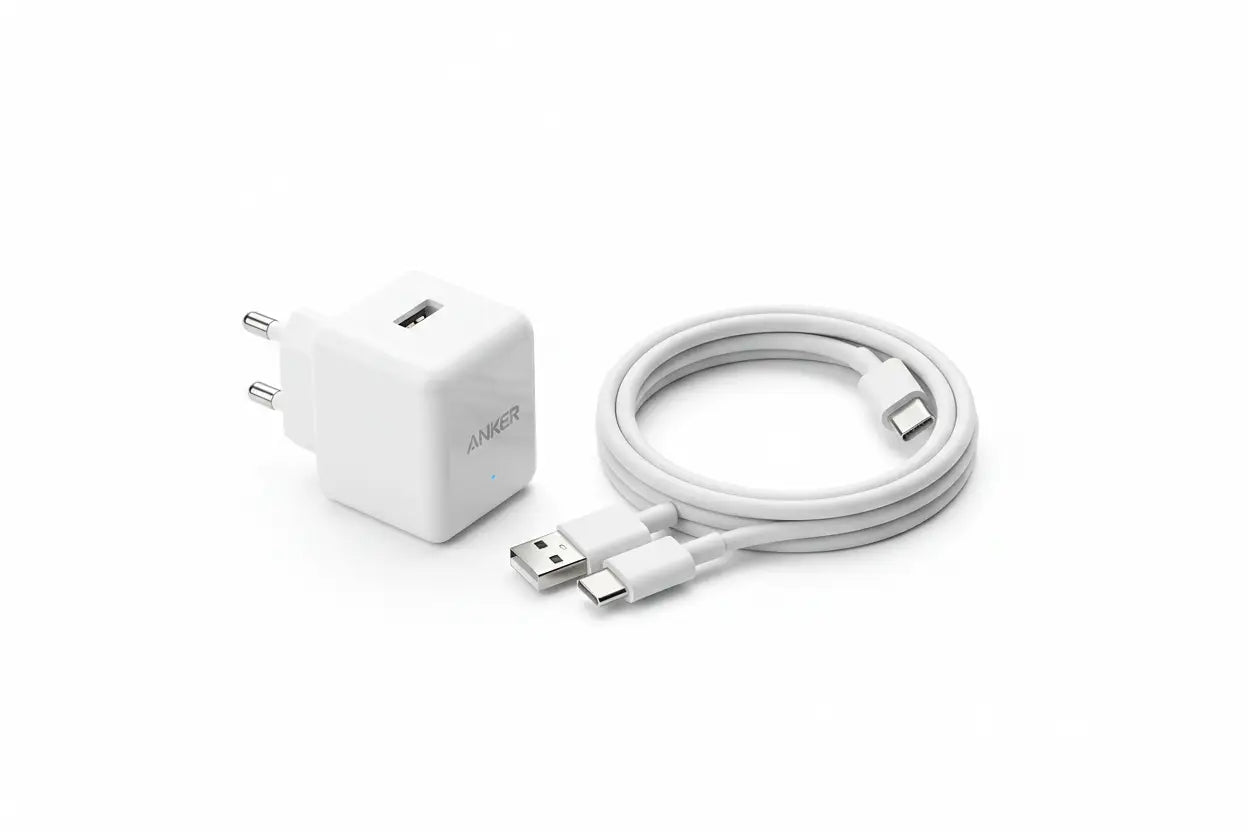
Even the best cable won’t shine if paired with a weak charger or a device that doesn’t support fast charging. Think of it like a race car: the cable is the engine, the charger is the fuel, the device is the car itself. All must be optimized.
9eight5 offers you Apple charging cables & adapters and Samsung Cables and chargers, you’ll find wall chargers rated at different wattages (20 W, 30 W, 60 W etc.) that can be used for other brand products as well. To get full benefit from fast charging:
-
Use a charger that supports the right wattage and standard (e.g., USB-PD 30W/60W).
-
Use a cable rated for that wattage/standard.
-
Confirm your device supports fast charge standard (check device specs for USB-PD, Quick Charge, etc.).
Not all USB-C cables are fast charging. Fast charging depends on the cable’s technological capabilities and your device’s compatibility.
4. Buying Locally in NZ: Why 9eight5 Makes It Simpler
If you’re in New Zealand and shopping online, local support matters. At 9eight5:
-
You can browse by Brand (Apple, Samsung, Google, Xiaomi) to find cables matched to your device.
-
They list accessories in categories like “Phone Charger & Cables” and “Accessories” so you can see related products (cables, wireless chargers, power banks) together.
-
Being NZ-based means faster shipping, easier returns, and better compatibility with NZ power standards/plugs.
When you visit a cable’s product detail page at 9eight5, check the specification tables for connector type, supported wattage, length, certification. That level of clarity ensures you avoid buying a “cheap” cable that ends up charging slowly.
5. Common Mistakes & FAQs from NZ Buyers
-
“I just bought a cable — why is my phone still charging slowly?” Because either the charger or cable is limiting the speed (or device doesn’t support fast charge). So always buy both components with matching specs.
-
“Longer cable equals slower charge?” Not necessarily but longer cables usually have more resistance and can affect speed — going too long is a compromise.
-
“Cheap cable is fine, right?” Not always: cheap cables may lack the internal circuitry/chip to negotiate fast-charging protocols and may overheat or degrade your battery.
-
“Does using fast charging damage my battery?” With modern devices and certified accessories, no. The device’s battery management system controls the flow of power safely. The key is to buy good quality.
6. Quick Checklist for NZ/AUS Buyers
-
Identify your device’s connector: Lightning (iPhone) or USB-C (modern Android, tablets).
-
Check the fast-charging standard your device uses (USB-PD, Quick Charge, etc.).
-
Choose a charger from 9eight5’s “Chargers & Adapters" rated to meet or exceed that standard.
-
Choose a cable from 9eight5’s “Cables” section that is rated for fast-charging (e.g., 30W+, USB-C to USB-C or USB-C to Lightning) and has certification/build quality.
-
If you’ll charge in the car, at work, or travel, consider length, portability, and NZ plug compatibility.
-
Look for NZ-based shipping, returns and support (available via 9eight5).
Final Words
Fast charging is a wonderful convenience — getting your phone powered up quickly for a busy Kiwi Day out, trip, or just daily life. But only when all the components (device + charger + cable) are aligned. Shopping locally at 9eight5 makes that alignment easier: you can browse by device, check specs, buy accessories from trusted brands and know you’re covered for NZ power standards.
When you next browse 9eight5’s “Accessories” category, take a moment to check those specs, match your device with the right charger and cable, and invest in quality. Your charge times will thank you — and so will your battery in the long run.