

A screen protector is one of the simplest and most effective ways to protect your smartphone or tablet from scratches, cracks, and everyday wear. Whether you use an iPhone, Samsung device, or iPad, a good-quality screen protector can save you from expensive repairs and extend the life of your device.
However, even the best screen protector can fail if it is not installed correctly. Many users rush the installation process or overlook small details, leading to bubbles, misalignment, dust traps, or reduced touch sensitivity.
To help you get a perfect installation every time, here are the most common mistakes to avoid when applying a screen protector—and how to do it right.
1. Not Cleaning the Screen Properly
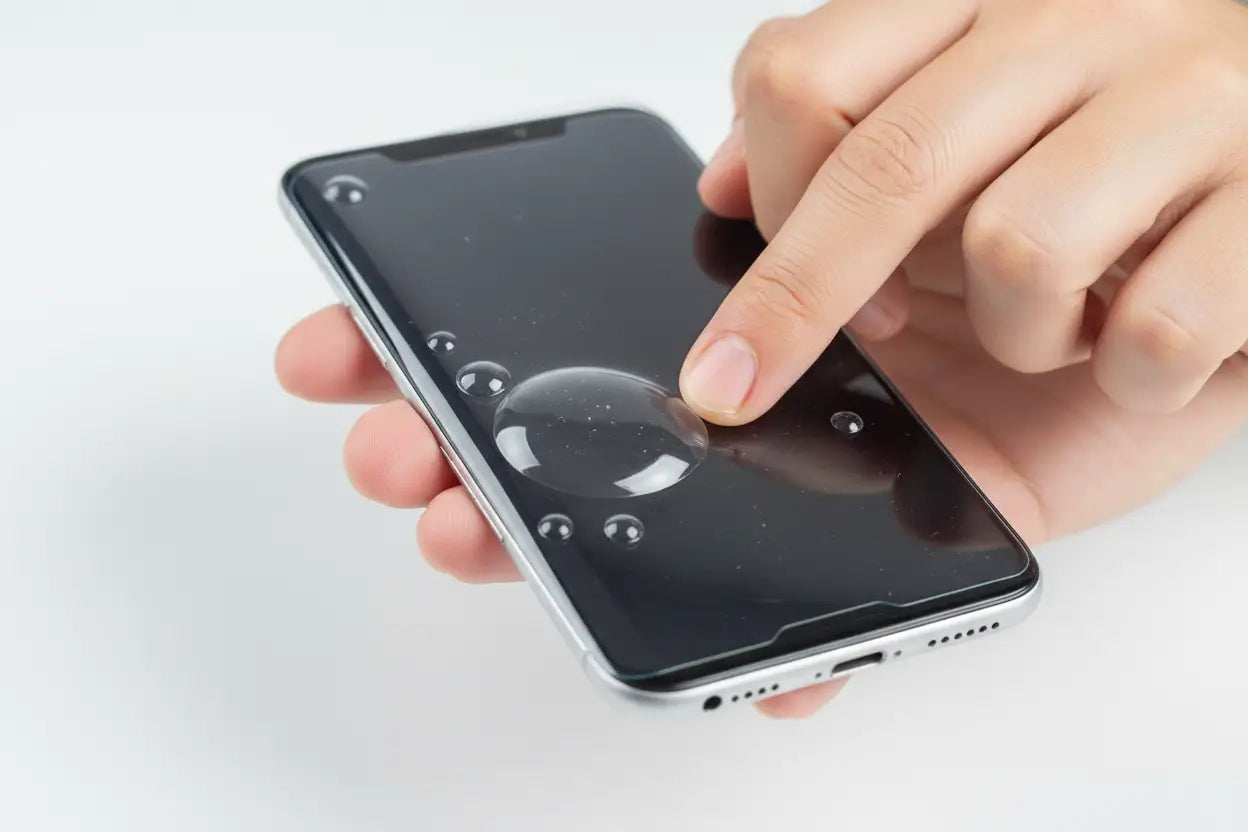
One of the biggest mistakes users make is applying a screen protector on a dirty screen. Even tiny dust particles, fingerprints, or oil residues can cause bubbles or prevent proper adhesion.
Before installation, always:
- Clean your screen with a microfiber cloth
- Use an alcohol wipe if provided
- Remove all dust using a dust sticker or tape
A completely clean surface ensures a smooth, bubble-free application.
Many screen protection products available at 9eight5 come with cleaning kits designed to help users achieve proper installation for iPhones, Samsung phones, and iPads.
2. Installing in a Dusty Environment
Dust is your worst enemy during screen protector installation. Even if your screen is perfectly clean, airborne dust can settle on it within seconds.
Avoid installing your screen protector in:
- Bedrooms with fans running
- Open windows or outdoor spaces
- Workspaces with fabric or paper dust
Instead, choose a clean, still environment like a bathroom after a hot shower. The steam helps reduce airborne dust, making it easier to achieve a clean installation.
3. Misaligning the Screen Protector
Poor alignment is another common issue. A slightly tilted screen protector not only looks bad but may also interfere with case compatibility or screen usability.
To avoid misalignment:
- Carefully align the cutouts (camera, sensors, speakers)
- Use the phone edges as reference points
- Don’t rush the placement process
Many modern screen protectors available through Screen Protectors Collection are designed with easy alignment features to help reduce installation errors across different device models.
4. Touching the Adhesive Side
Touching the sticky side of the screen protector is a mistake that can lead to fingerprints, smudges, and dust sticking permanently to the adhesive layer.
Always:
- Hold the protector by the edges
- Avoid placing it face-down on surfaces
- Peel backing film carefully just before installation
Once the adhesive side is contaminated, it becomes very difficult to fix without affecting clarity or adhesion.
5. Applying It Too Quickly
Rushing the installation process often leads to trapped air bubbles and poor alignment. Many users try to place the screen protector in one quick motion, which increases the chance of errors.
Instead:
- Start from one edge
- Slowly lower the protector onto the screen
- Let it settle naturally
Some screen protectors included in the iPad and phone accessory ranges at 9eight5 are designed with guided installation frames that make the process easier and more accurate.
Know About: Screen Protectors: When Do You Really Need One, and Which Type Is Best?
6. Ignoring Air Bubbles
Air bubbles are common, especially for first-time users. However, pressing too hard or randomly pushing bubbles can damage the protector or worsen the issue.
Instead:
- Use a soft cloth or squeegee
- Push bubbles gently toward the edges
- Give small bubbles time—they often disappear naturally within 24–48 hours
High-quality tempered glass protectors are more resistant to persistent bubbles compared to low-quality alternatives.
7. Reusing a Screen Protector
Some users attempt to remove and reinstall a screen protector after a mistake. This is rarely a good idea.
Once removed:
- Dust contamination increases
- Adhesive weakens
- Alignment becomes harder
- Bubble formation is more likely
If the installation goes wrong, it’s usually better to replace it with a new protector rather than reusing the old one. The phone accessories available at 9eight5 include affordable options for iPhone, Samsung, and iPad devices, making replacement easier when needed.
8. Not Checking Case Compatibility
A surprisingly common issue is installing a screen protector without considering the phone case. Some cases overlap the edges of the screen protector, causing lifting or peeling over time.
To avoid this:
- Check case compatibility before installation
- Choose case-friendly (slightly smaller edge) protectors if needed
- Test fit with your case after installation
Many screen protectors sold at 9eight5 are designed to be case-compatible, ensuring a seamless fit with popular phone and tablet cases.
9. Using Excessive Pressure
Pressing too hard during installation can crack tempered glass protectors or push adhesive unevenly.
Instead:
- Apply light, even pressure
- Let the protector naturally adhere
- Use gentle smoothing motions only when needed
Modern tempered glass protectors are designed to bond naturally without excessive force.
10. Skipping the Instructions
Every screen protector is slightly different. Ignoring the manufacturer’s instructions can lead to unnecessary mistakes, especially with advanced products like anti-blue light or matte finishes.
Always:
- Read the included guide
- Follow step-by-step installation
- Use included tools and accessories
This is especially important for premium screen protectors available through 9eight5 Screen Protection Collection, which often include installation frames and alignment tools.
Also Know: How to Choose the Perfect Phone Case: Style vs Protection vs Functionality
Watch Video: Mistakes to Avoid When Installing Screen Protectors
Final Thoughts
Installing a screen protector may seem simple, but small mistakes can significantly impact its performance and appearance. By avoiding common errors like poor cleaning, rushed application, misalignment, and dust exposure, you can achieve a smooth, professional-looking installation every time.
A properly installed screen protector not only keeps your device looking new but also protects it from everyday damage and costly repairs. If you're looking for high-quality screen protectors for iPhone, Samsung, or iPad devices, explore the wide range available at 9eight5 New Zealand. With the right product and careful installation, your device will stay protected and crystal clear for the long run.